for music creators on YouTube · Instagram · TikTok
From hours of editing
to one minute.
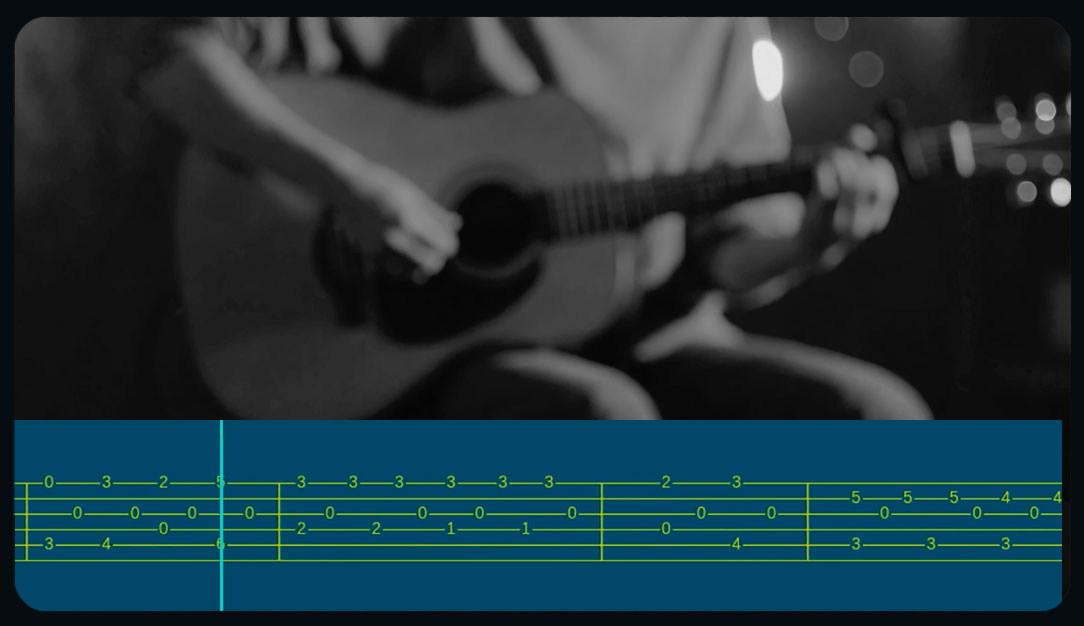
Show synced tablature while you play: professional-looking covers and tutorials that grow your channel and your students. An overlay strip, ready for YouTube, Reels and TikTok. No hours of editing.
Upload a file
Choose the view
sheet only, tab only, or both: you decide
Choose the format
horizontal or vertical
Choose your colors
background, notes and bar
Get your VideoTab
Your custom colors.
Pick the colors for notes, background and the beat bar, and save them as a set: reuse them with one click on your next video, always on brand. What you set is exactly what comes out. And if you want, you can also tune how big the notes are and how many bars are in view.
Pick your colors and save your style
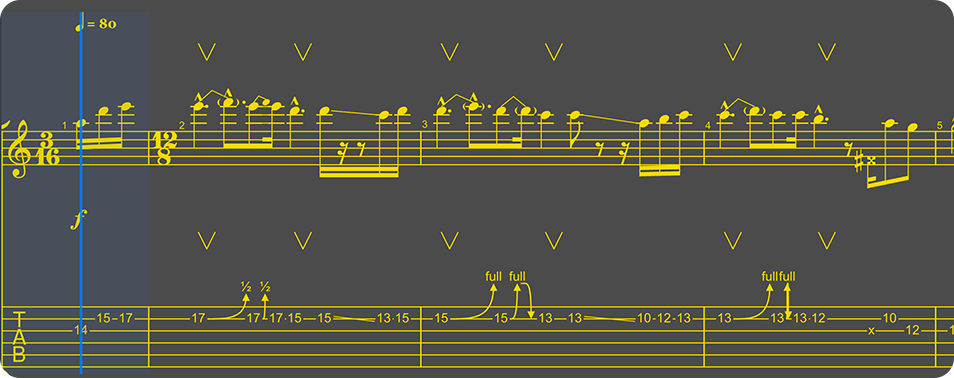
Size · Bars in viewMedium
For every instrument.
Tab2Vid reads the track you choose and uses the right notation:
tablature for string instruments, sheet music for the rest.

Guitars
Tablature, Treble clef
Basses
Tablature, Bass clef
Drums
Percussion notation
Vocals & Melodies
Sheet music
Just the strip.
You add the rest.
The export is a clean strip on a solid color: no titles, no frames. Import it into your editor, place it where you want. Your performance stays center stage.
- MP4 H.264 + AAC audio, ready for any editor
- 16:9 for YouTube, 9:16 for Shorts, Reels and TikTok
- Customizable colors for notes, background and beat bar
Five steps. One minute.
/ the flow- 01
Upload the file
Guitar Pro (.gp3–.gp5, .gpx, .gp) or MusicXML (.musicxml, .mxl), up to 20 MB. Just drag and drop.
- 02
Choose the instrument
See tracks, tuning and BPM. Pick the one to show: one track, one video.
- 03
Set your colors
Notes, background and beat bar. Live preview, save your favorite sets.
- 04
Choose the format
16:9 for YouTube or 9:16 for verticals. The strip adapts on its own.
- 05
Generate and download
A synced MP4, ready to overlay. No manual note-by-note editing.
Honest pricing.
/ choose your planThe free plan is truly free: 10 minutes of video per month, no card. Go Pro when you need unlimited minutes.
Free Trial
- 10 minutes of free VideoTab
- Minutes that never expire
- 16:9 and 9:16
- All input formats
- Custom colors
Pro monthly
- Unlimited VideoTab length
- Priority rendering queue
- 16:9 and 9:16
- Customizable colors
- Email support
Pro yearly
- Everything in Pro monthly
- Save 17%
- Unlimited VideoTab length
- Priority queue
- Priority email support
The "Made by Tab2Vid.com" watermark is subtle and present on all plans during the launch phase: it helps us get known! We'll remove it.
Frequently asked questions.
/ faqWhich files can I upload?
Guitar Pro (.gp3–.gp5, .gpx, .gp) and MusicXML (.musicxml, .mxl), up to 20 MB. Drop the file and we read tracks, tuning and BPM for you.
How do I use the strip in my video?
The export is an MP4 with the tab on a solid-color background. Import it into your editor, place it where you want.
Which instruments are supported?
Guitar and bass in tablature (with the right clef), drums in percussion notation, vocals and melodies in sheet music. Choose one track per video and the notation adapts to the instrument on its own.
Which video formats do you output?
16:9 for YouTube and 9:16 for Shorts, Reels and TikTok. The strip adapts to the chosen format, with notes at the right size for the screen.
Is the free plan really free?
Yes, and no card needed: you get a monthly minutes quota to try the service. With Pro you unlock full length and unlimited minutes.
Are my files saved?
No: we generate the video, you download it and the file is deleted. In your profile we only keep a light history (song title and date), never the files.